浏览器配置 · 合同签章故障处理
问题描述
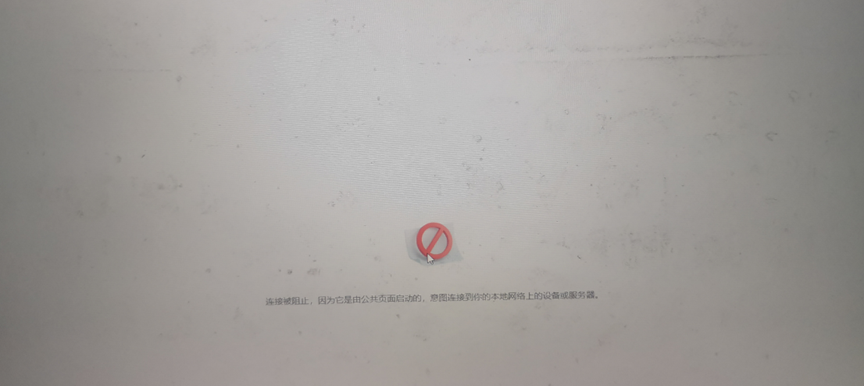
齐鲁云采网上商城供应商进行合同签章时,系统提示“连接被阻止,因为它是由公共页面启动的,尝试连接到你的本地网络上的设备或服务器”错误,如下图:
请按照以下方法设置浏览器。
一、浏览器配置
签章先设置浏览器,否则影响合同签章操作!!
使用谷歌浏览器和Edge浏览器版本号为 142或更高版本时,请先设置浏览器配置,未进行设置会影响CA登录和CA解密:
1、谷歌浏览器
地址栏输入chrome://flags/
搜索 Insecure origins treated as secure
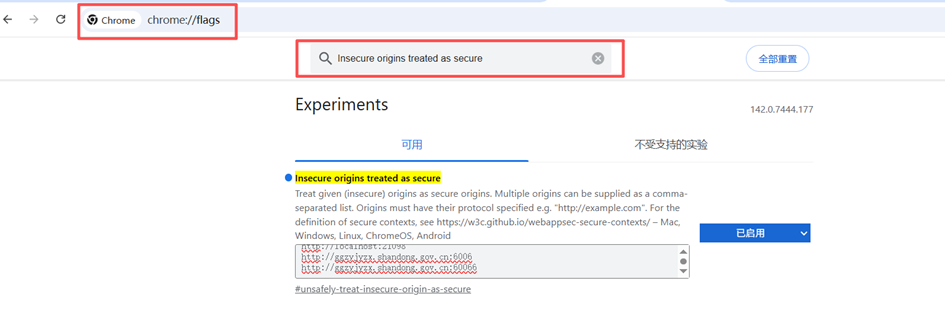
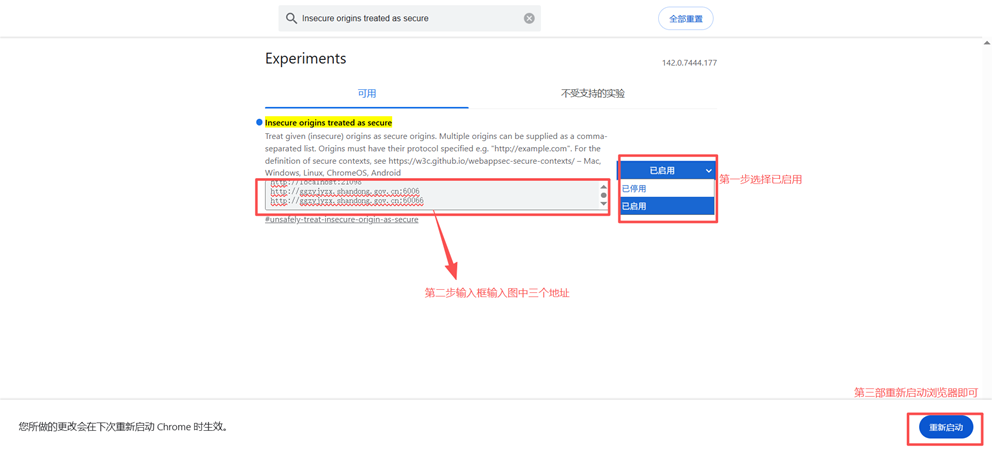
然后下拉选 选择“已启用”
输入框中输入“http://localhost:21096
http://localhost:21097
http://localhost:21098
https://localhost:31096
https://localhost:31097
http://sdgp.sdcz.gov.cn:7100
http://www.ccgp-shandong.gov.cn:7100”以上地址。
重启浏览器即可
2、Edge浏览器
地址栏输入edge://flags
搜索 Insecure origins treated as secure
然后下拉选 选择“已启用”
输入框中输入“http://localhost:21096
http://localhost:21097
http://localhost:21098
https://localhost:31096
https://localhost:31097
http://www.ccgp-shandong.gov.cn:7100”以上地址。
重启浏览器即可